
Sponsorship tiers let an initiative offer a fixed set of giving levels — such as Platinum, Gold, Silver, and Bronze — each with its own goal amount and benefits, instead of accepting only open, any-amount donations.
Setting up tiers during initiative creation
When creating an initiative, choose Fixed tiers on the Donation options step of the creation form.
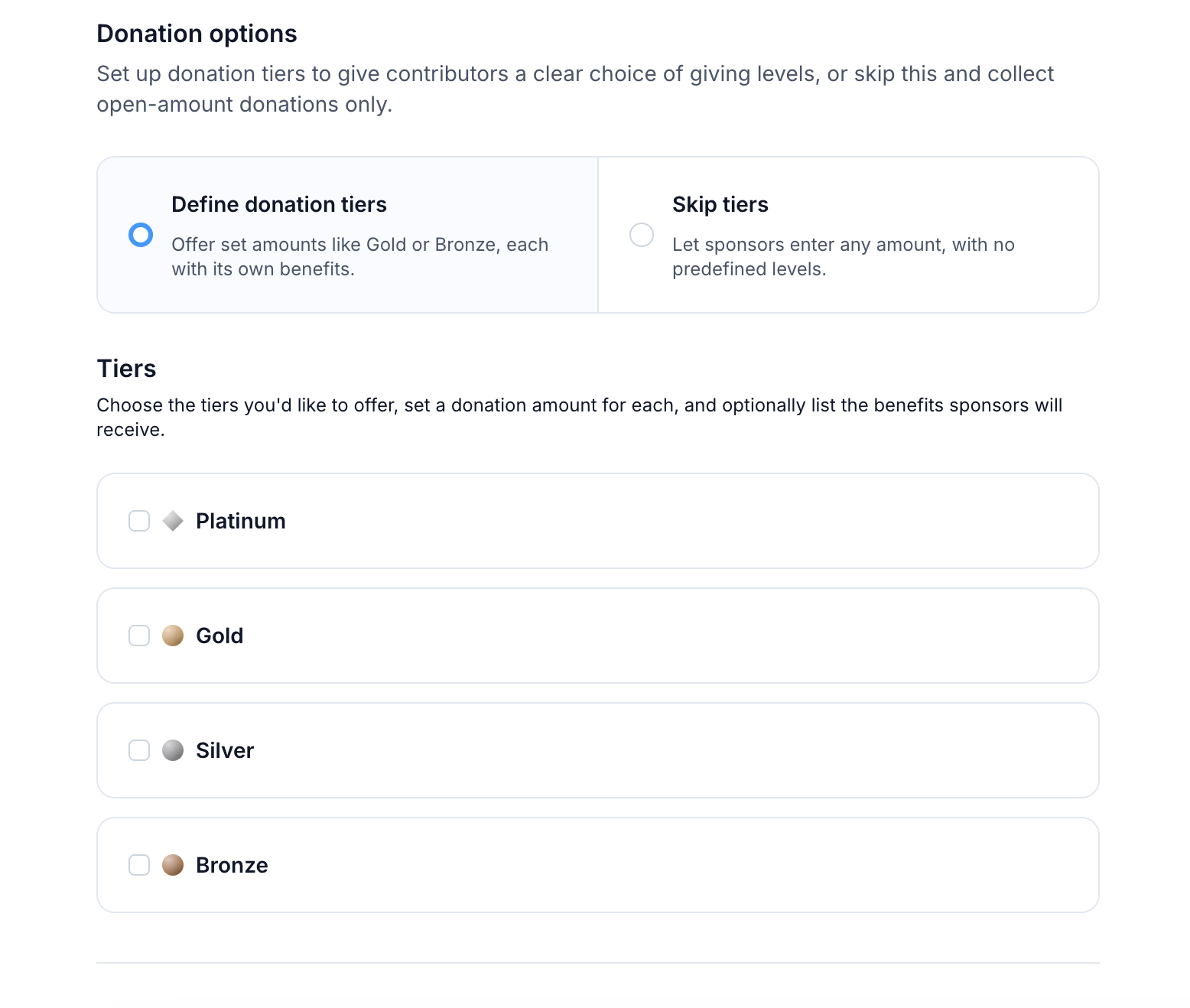
For each tier you want to offer, set:
- Enabled — toggle a tier on or off
- Goal amount — the donation amount associated with the tier
- Benefits — a list of what a sponsor at that tier receives (e.g. "Logo on homepage"); select + Add benefit to add more
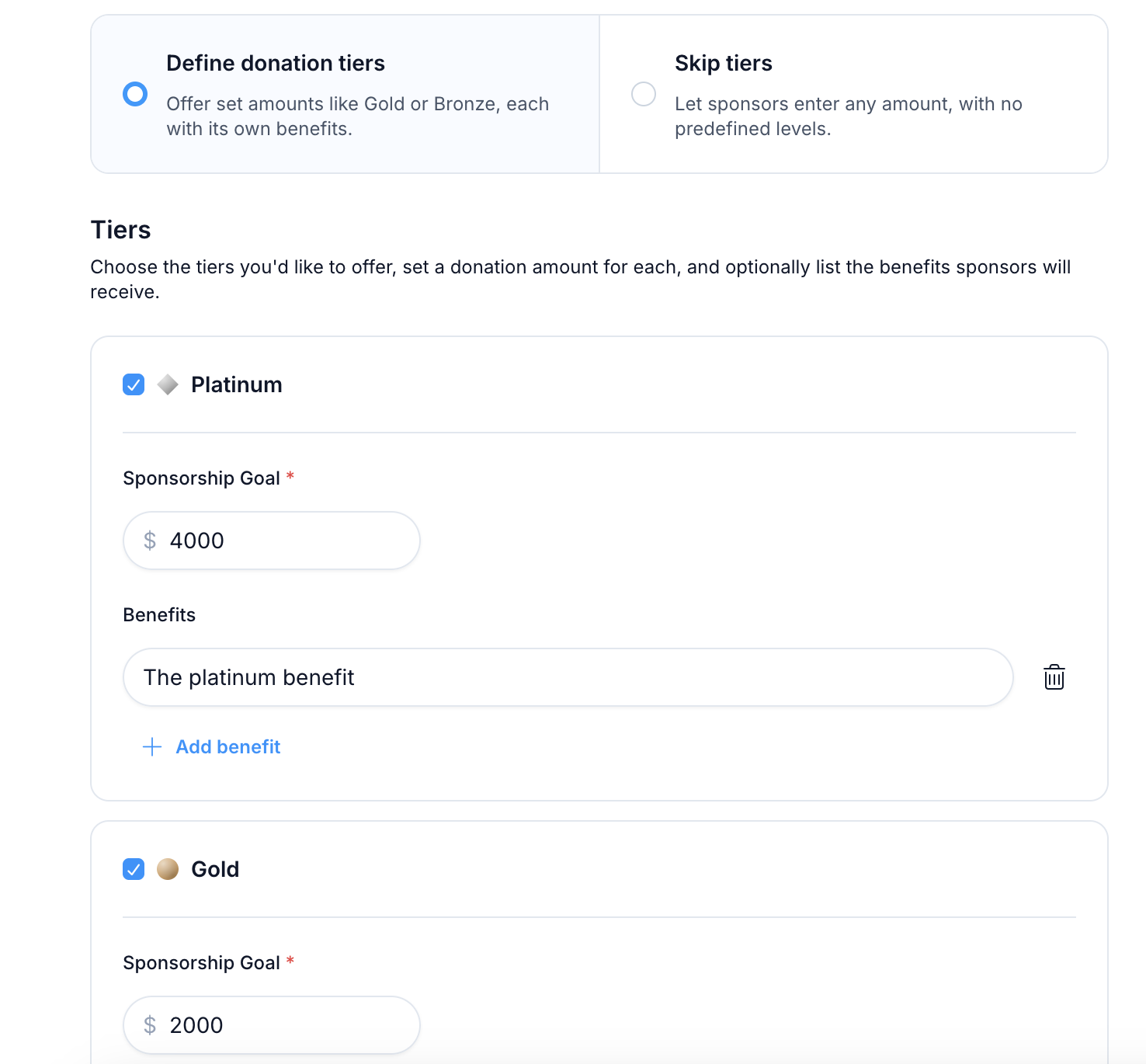
Tiers are always named Platinum, Gold, Silver, and Bronze; only the goal amount, benefits, and whether the tier is enabled can be customized. If you choose Open donations instead, backers can give any amount and no tiers are shown.
Editing tiers after publishing
Sponsorship tiers can be updated at any time from LFX Self Serve:
Go to My Initiatives on LFX and select your initiative.
Open the Sponsorship Tiers tab.
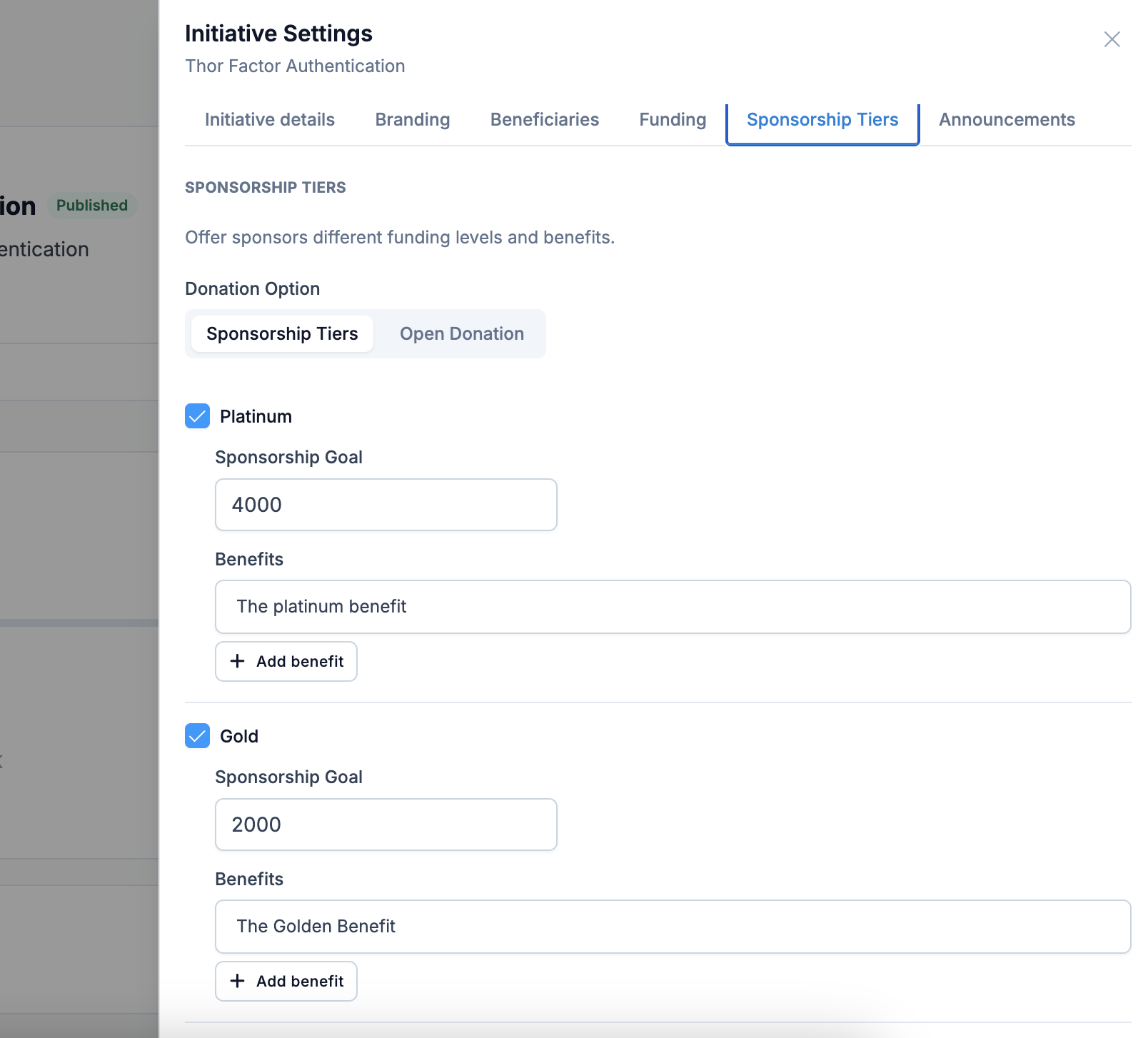
Update goal amounts, benefits, or enable/disable tiers, then select Save.
Changes are reflected on the public initiative page and donation flow immediately.
How tiers appear to donors
When a donor opens the Donate drawer on an initiative with fixed tiers, each enabled tier is shown as a card with its badge, goal amount, and benefits list.
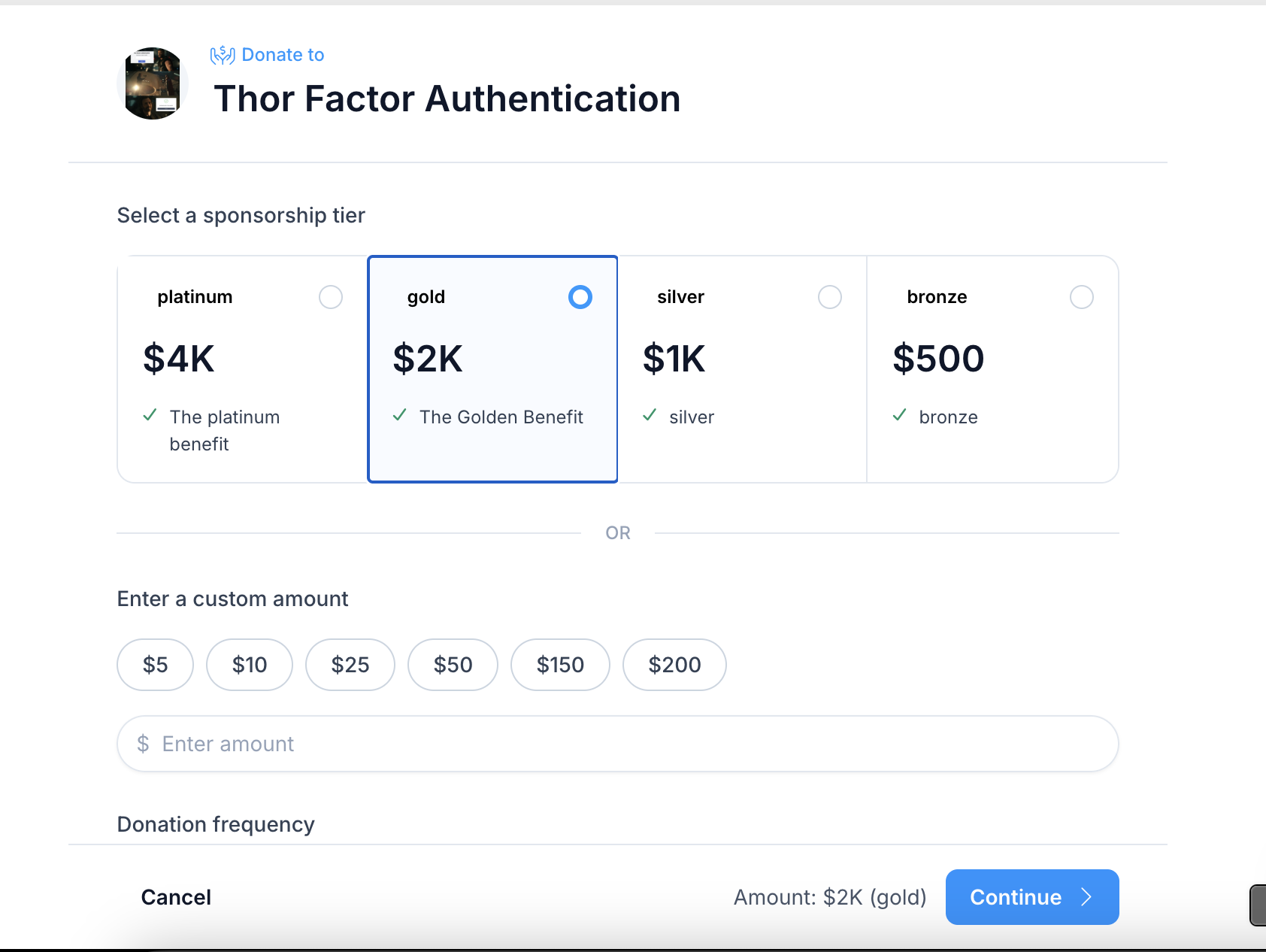
Selecting a tier sets the donation amount to that tier's goal amount. Donors can also skip the tiers and choose a custom amount below the tier cards.
Related sections
- Create an Initiative — the full initiative creation flow
- Manage Your Initiative — update your initiative after it is published
- Making a Donation — the full donation flow