
Managing your payment account lets you update or remove the card saved on LFX Crowdfunding. This applies to donors who have completed at least one donation.
Before you begin
You must have completed at least one donation — your card is saved automatically on your first payment. Sign in with your LF ID before proceeding.
Steps
Go to My Donations on LFX.
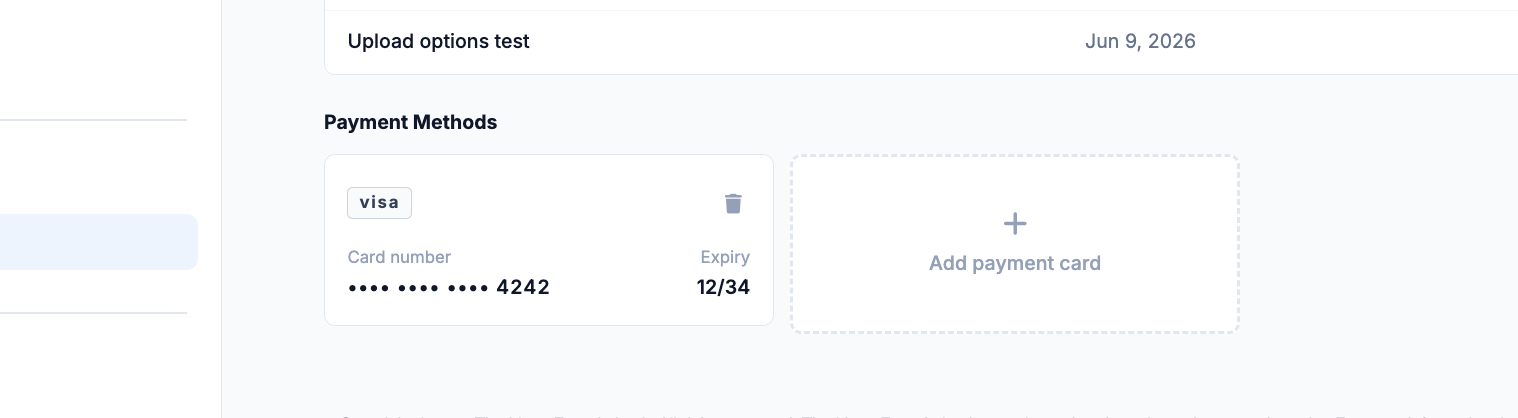
Locate the Payment section.
Select Update card and enter your new card details.
Select Save to confirm.
After completing
Your new card will be used for all future one-time donations and any active monthly subscriptions.
Related sections
- Making a Donation — how to make a donation
- Managing Your Donations — view history and cancel subscriptions