
Managing your donations lets you view your giving history and cancel any active monthly subscriptions on LFX Crowdfunding.
Before you begin
You must have completed at least one donation. Sign in with your LF ID before proceeding.
Steps
- Go to My Donations on LFX.
View your donation history
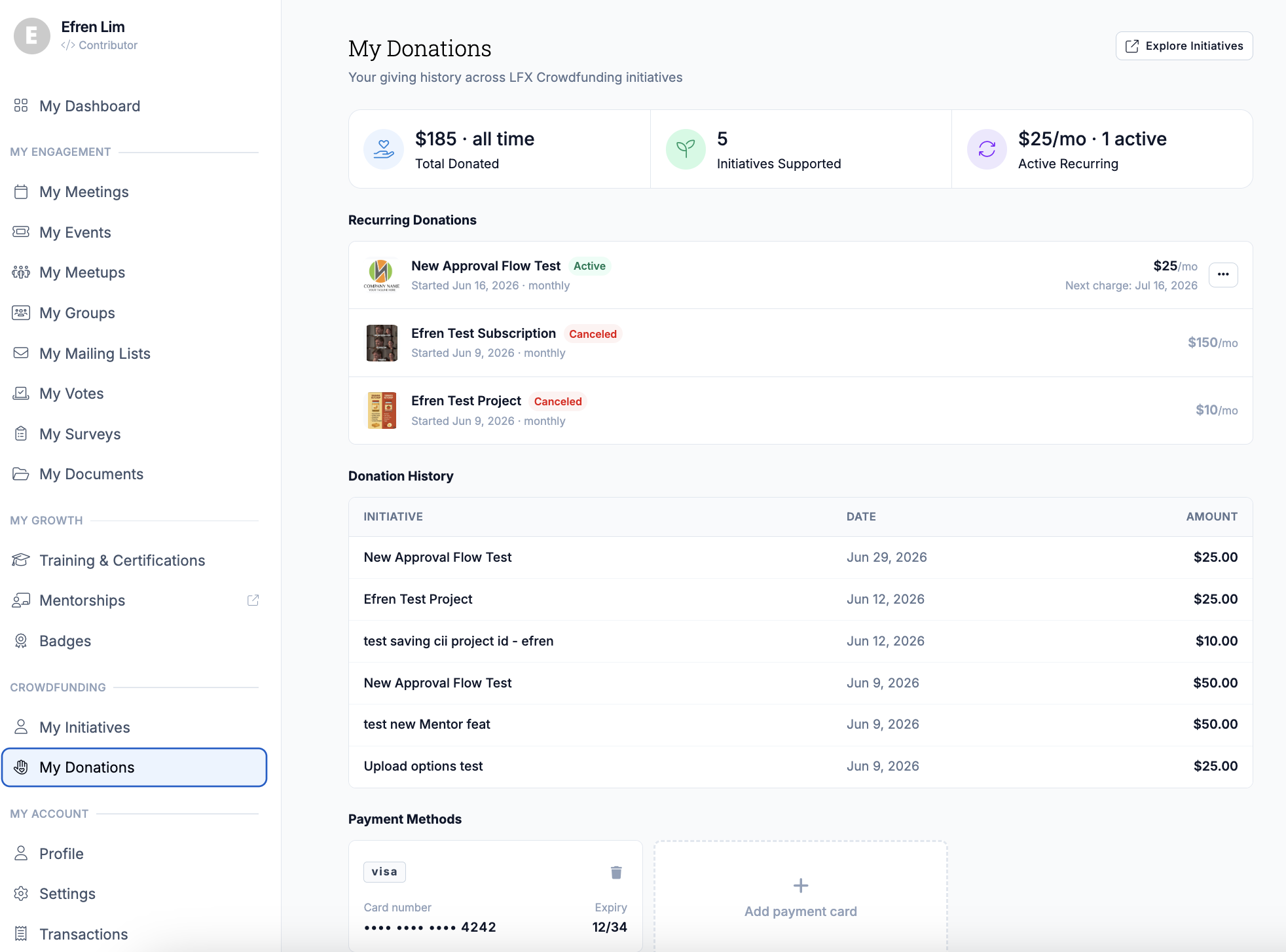
- Review your past donations. Each entry shows the initiative name, amount, date, and payment status.
Cancel a recurring donation
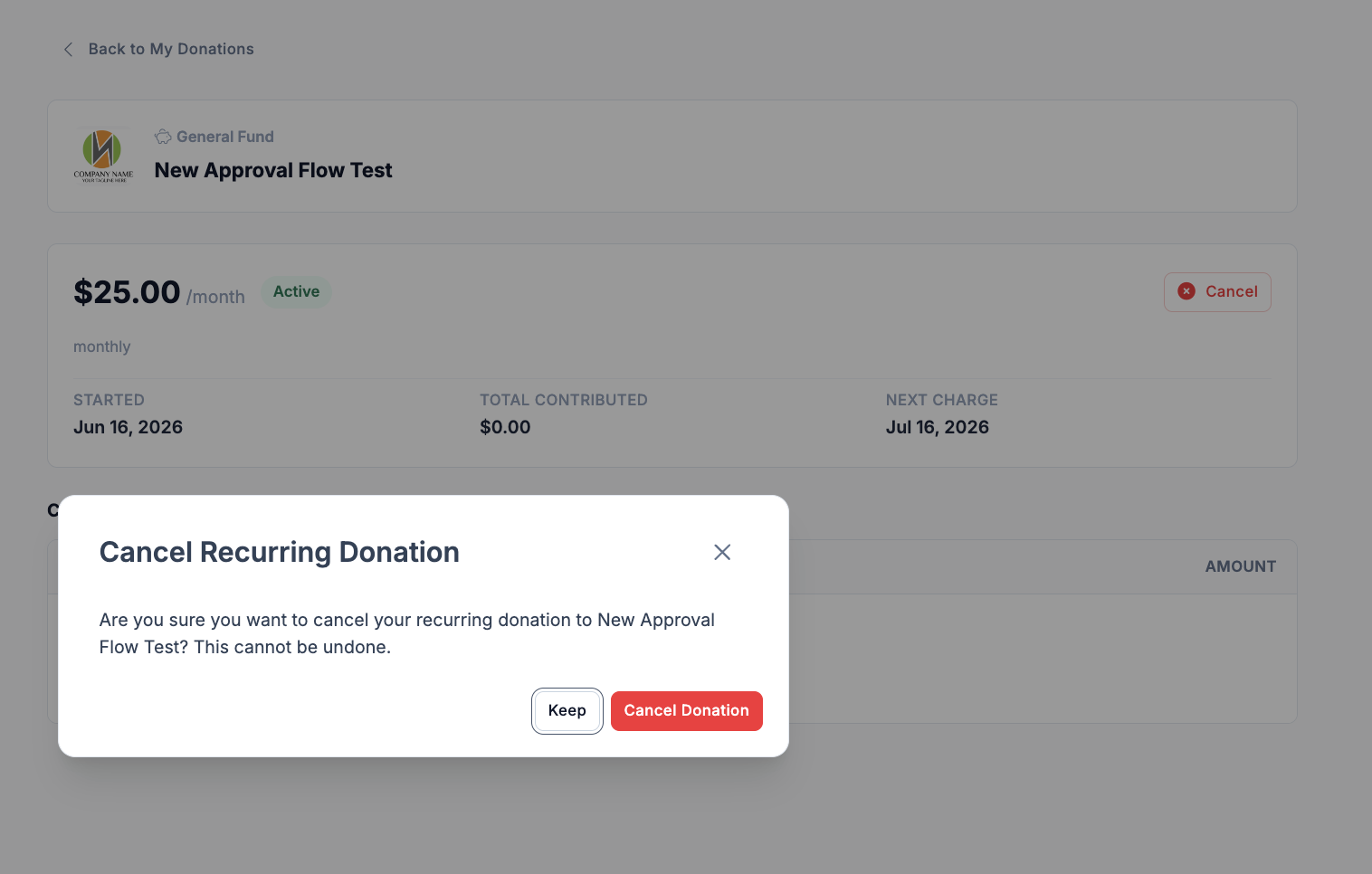
- Find the active monthly subscription you want to cancel.
- Select Cancel next to the subscription.
- Confirm the cancellation when prompted.
After completing
Cancellation takes effect immediately — you will not be charged again. The subscription will no longer appear in your active subscriptions list.
Related sections
- Making a Donation — how to make a new donation
- Payment Account — manage your saved card
- Backers — how your donations appear on initiative pages