
Announcements let initiative owners share updates with backers directly on the initiative's public page — progress reports, milestones, or news about how funds are being used.
Before you begin
Your initiative must be approved and published. You must be signed in as the initiative owner with your LF ID.
Posting an announcement
Announcements are created and managed from LFX Self Serve, not from the public LFX Crowdfunding site.
Go to My Initiatives on LFX and select your initiative.
Open the Announcements tab.
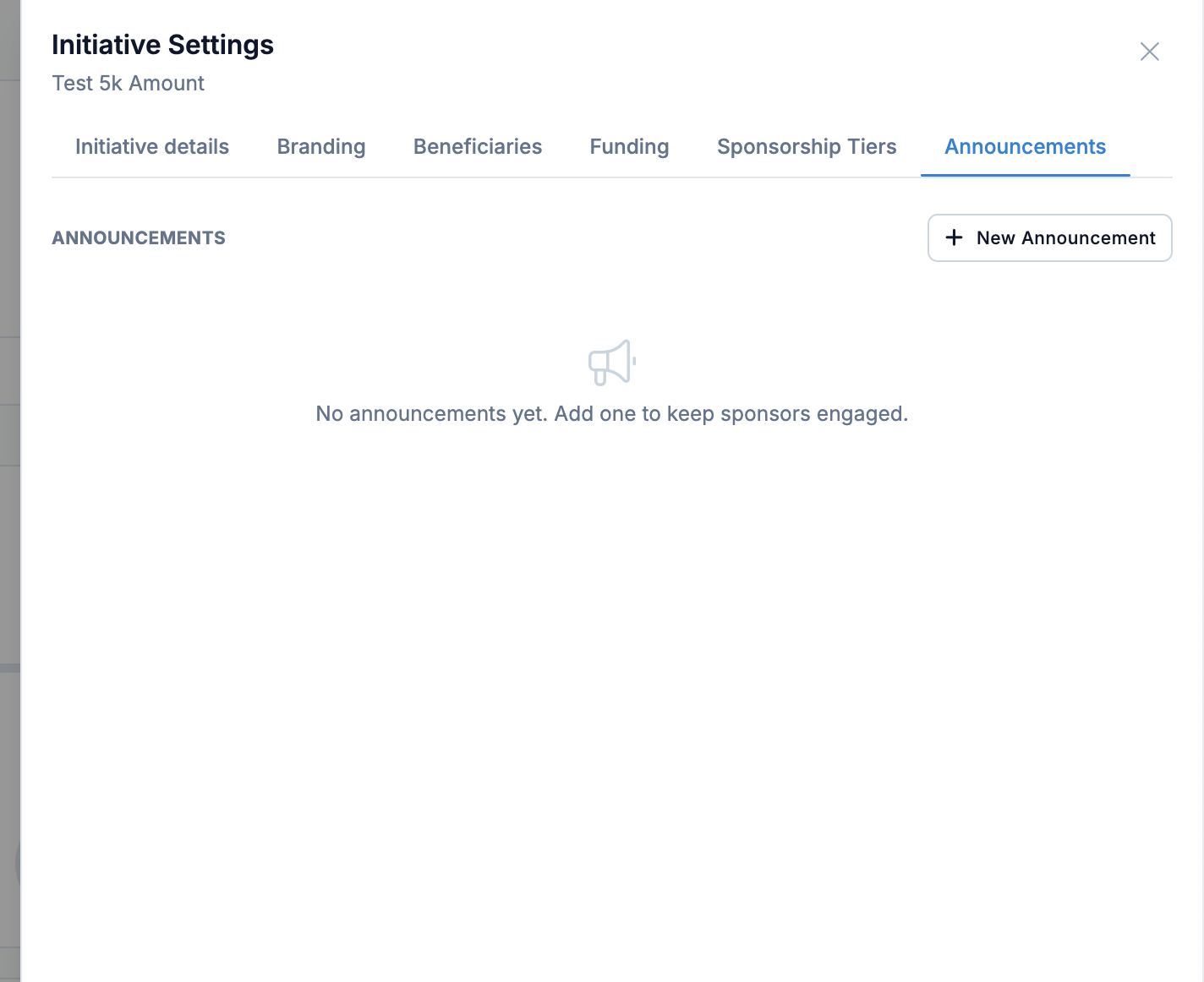
Select New Announcement and provide:
- Title
- Description — supports rich text formatting
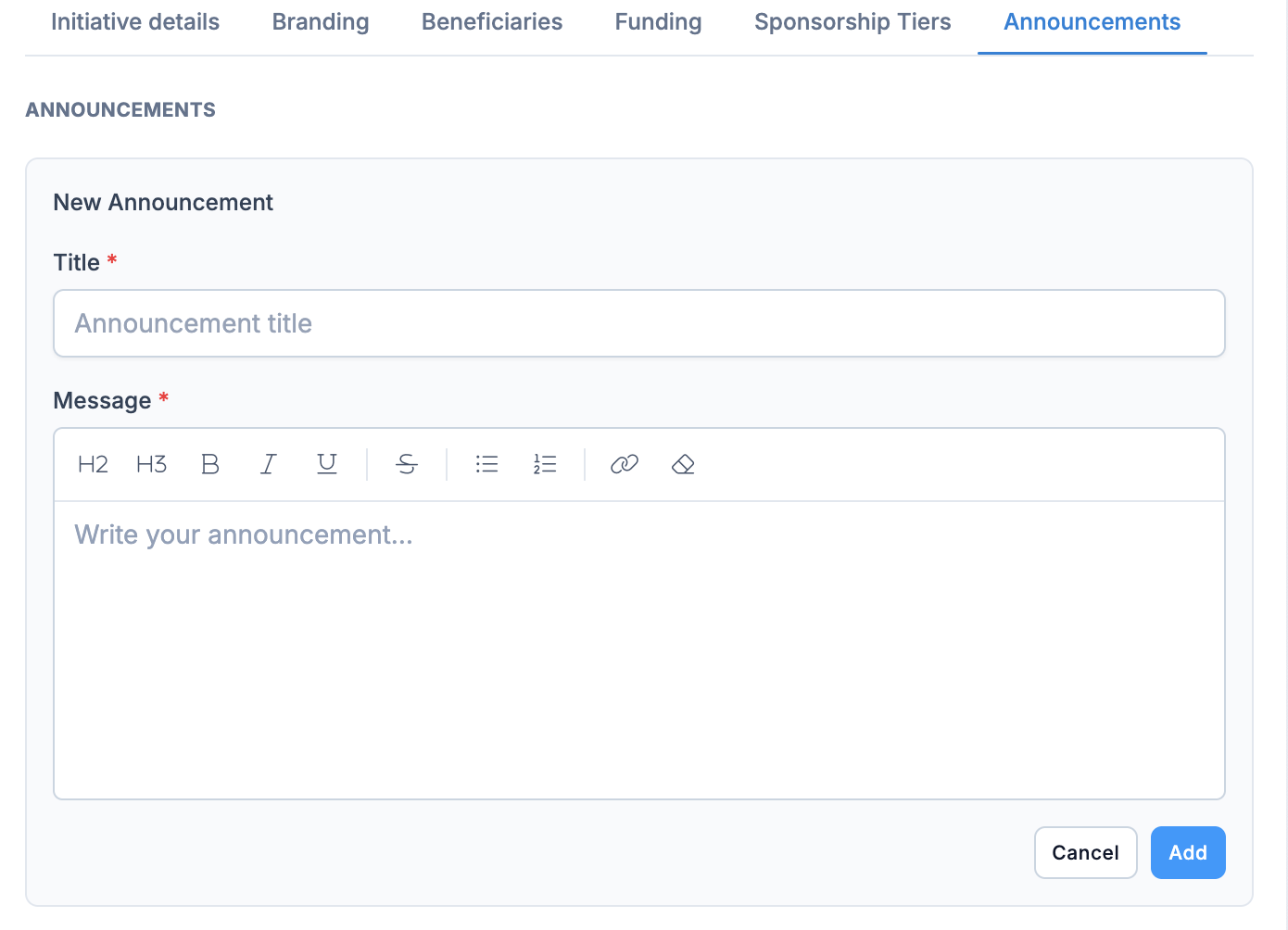
Select Publish.
You can edit or delete an announcement at any time from the same tab.
How announcements appear to backers
Published announcements are shown in a timeline on the initiative's public page, newest first, each with its title, description, and post date.
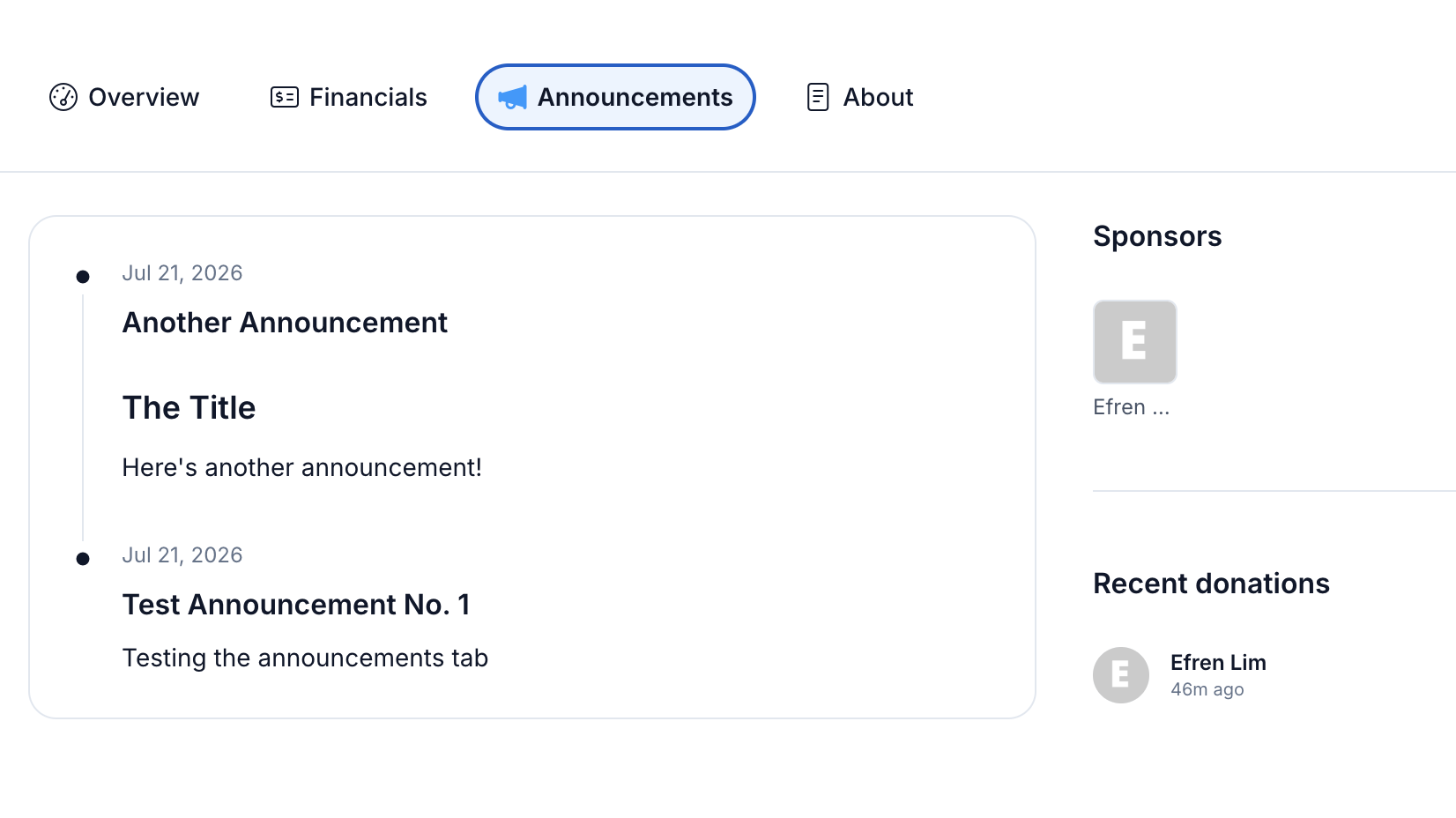
There is no limit on the number of announcements shown — all published announcements for the initiative appear in the timeline.
Related sections
- Manage Your Initiative — update your initiative's details and financials
- Create an Initiative — how to submit a new initiative