
Managing your initiative lets you update its details and track financial activity after it has been approved and published on LFX Crowdfunding.
Before you begin
Your initiative must be approved and published. You must be signed in with your LF ID as the initiative owner, or as someone with write access to the organization or project it is attributed to.
If your initiative is attributed to an organization or project, people with write access to that organization or project can also edit its content. Only the initiative owner (the person who created it) can change which organization or project it is attributed to, and they must be affiliated with the new one. The attribution can only be changed while the initiative is still submitted for review. Once it has been approved and published, the attribution can't be changed.
Steps
Go to My Initiatives on LFX.
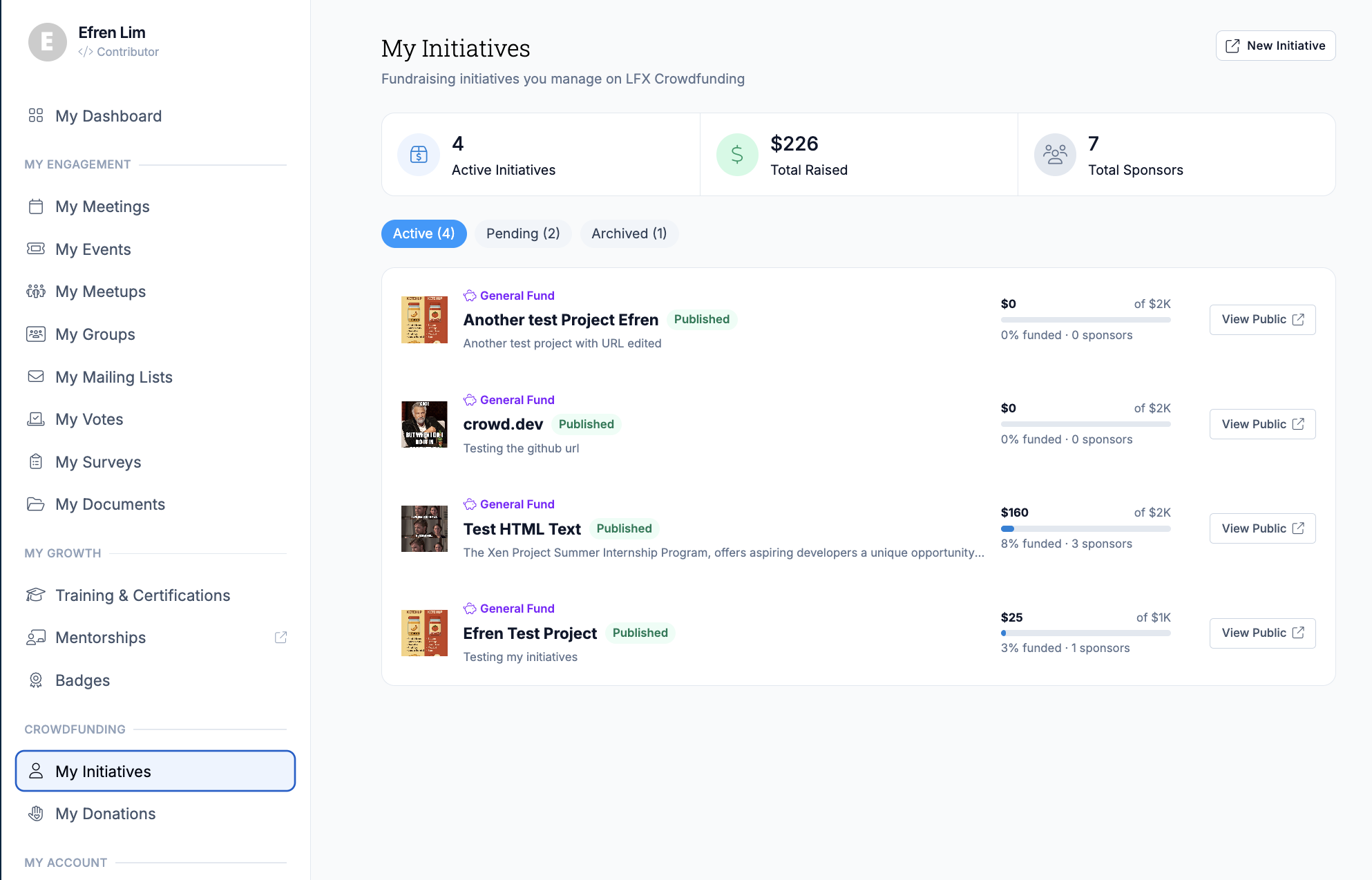
Select the initiative you want to update.
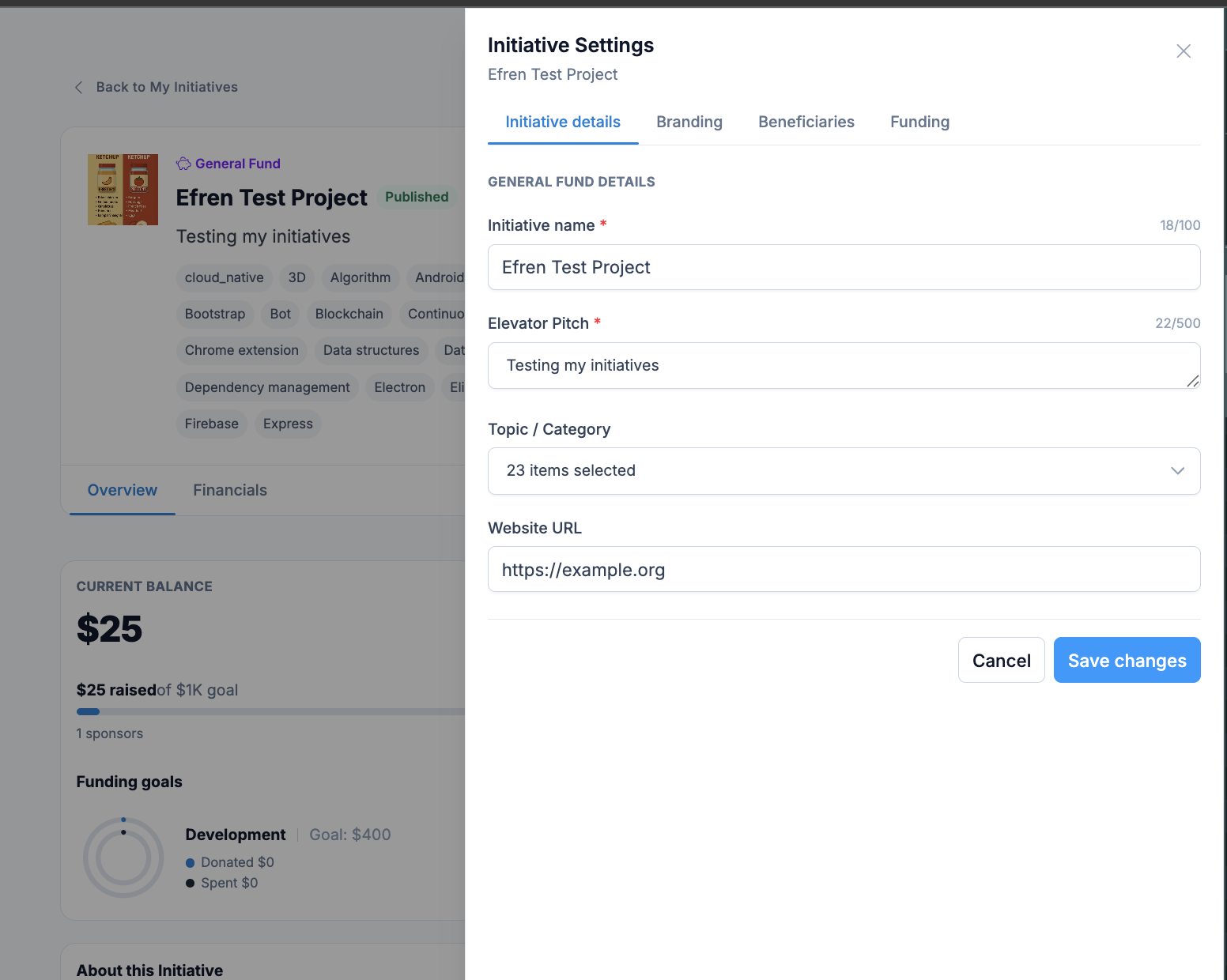
Update any of the following fields and select Save:
- Name, description, and logo
- Funding goal
- Beneficiaries
- Fund distribution
Financial reporting
All income and expenses are visible on your initiative's Financials tab on LFX Crowdfunding. This includes:
- Total funds raised
- A breakdown of donations by supporter
- Approved expenses by category
Financial data is automatically synced from the Linux Foundation's ledger system.
After completing
Your changes are reflected on the public initiative page immediately. Financial data updates automatically — no manual action is required.
Related sections
- Create an Initiative — how to submit a new initiative
- Initiative Announcements — post updates for your backers
- Sponsorship Tiers — offer fixed giving levels with goals and benefits
- Reimbursements — how expense reimbursements work for your team
- Backers — how supporters are listed on your initiative page