
Browsing initiatives lets you find and explore active open source fundraising campaigns on LFX Crowdfunding.
Before you begin
No sign-in is required to browse initiatives. To donate to one, you will need an LF ID account.
Steps
Select Initiatives from the top navigation.
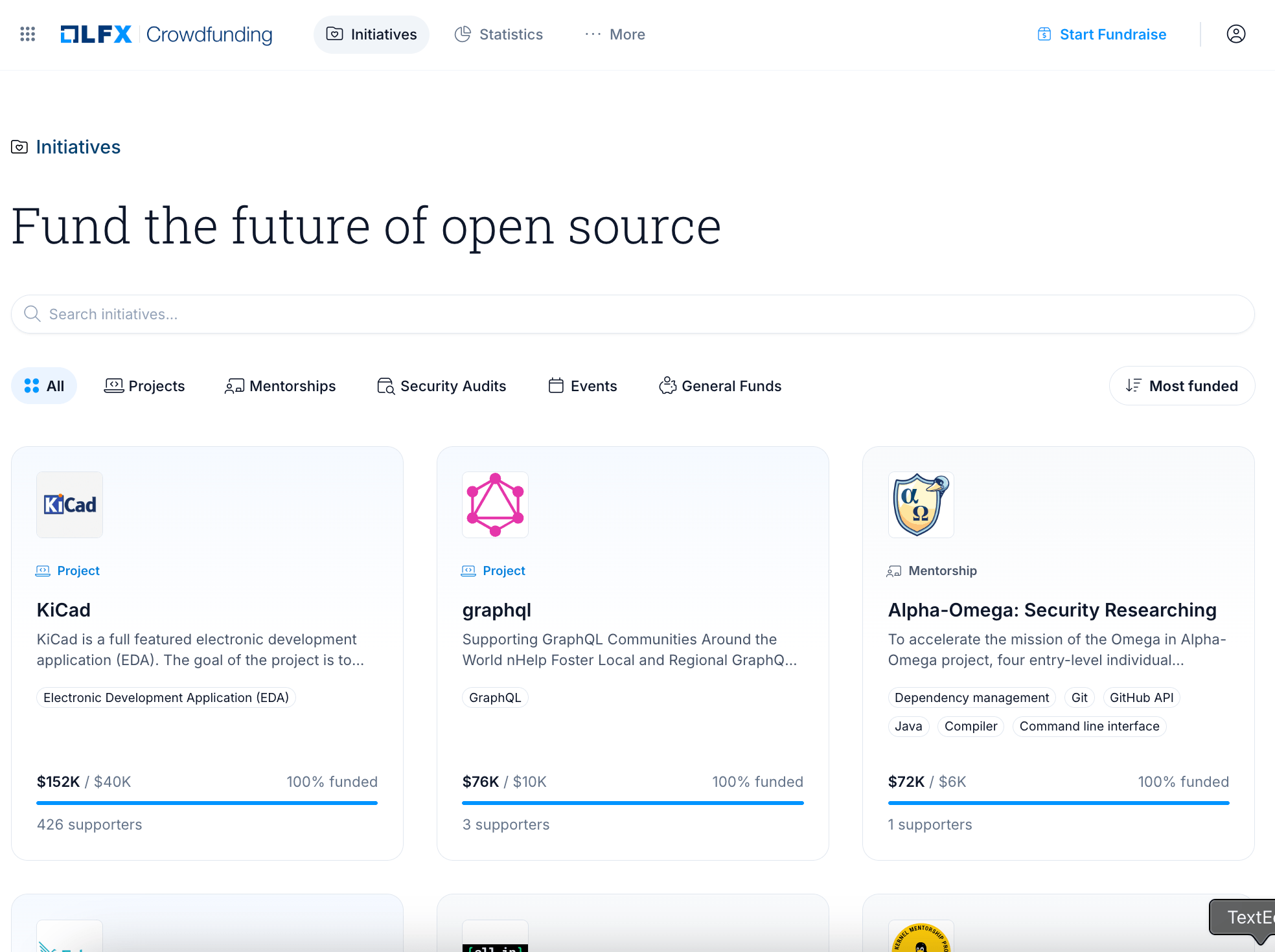
Browse the list of active campaigns. Each card shows the project name and logo, fundraising goal, amount raised so far, and number of supporters.
Enter a name in the search field or select a category filter to narrow results.
Select any initiative card to open its detail page.
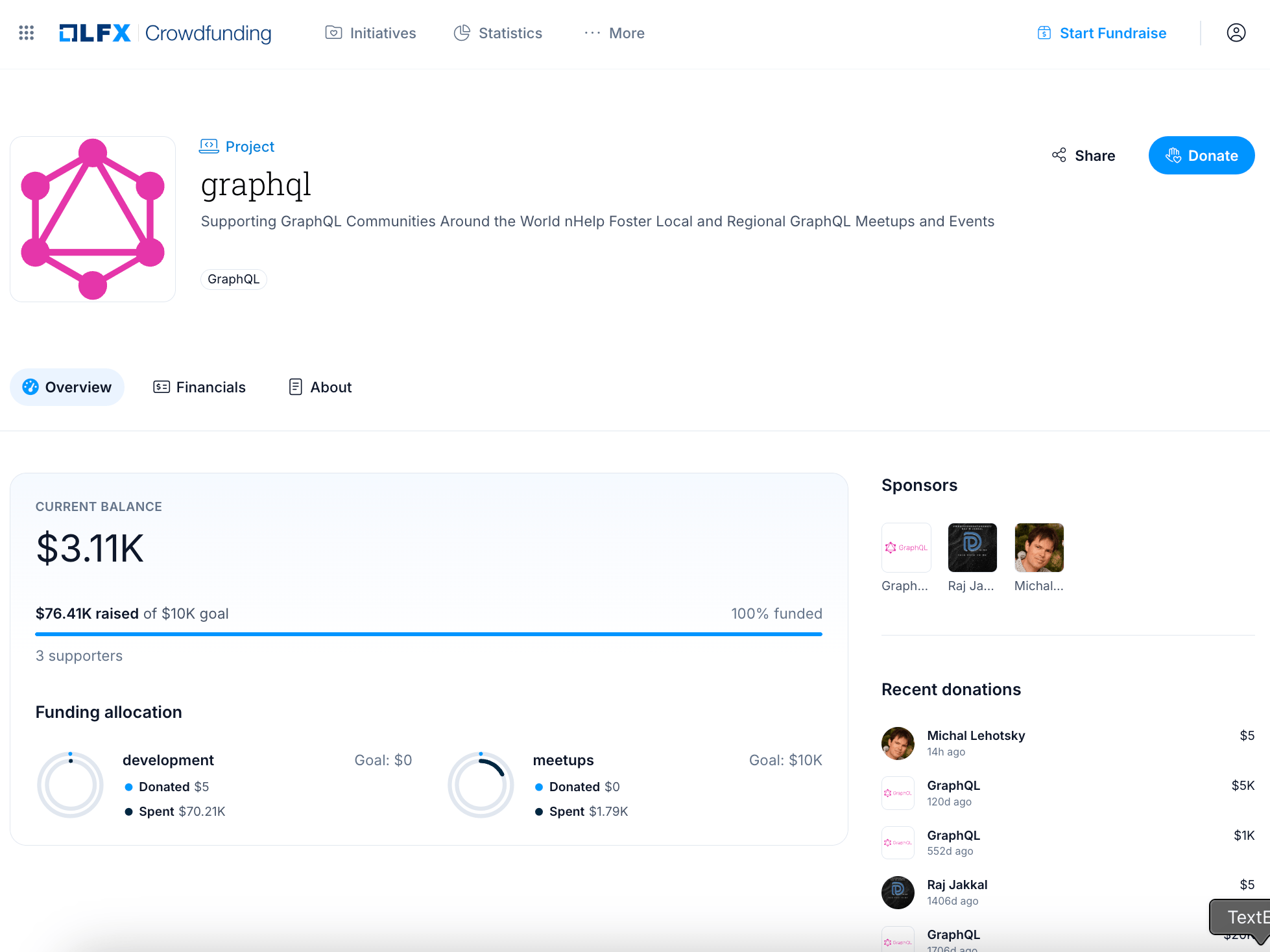
Review the initiative details. If the initiative is run on behalf of an organization or project, that entity's name and logo appear under the title.
- Overview — the project's mission and how funds will be used
- Financials — a breakdown of income and expenses
- Supporters — a list of donors
After completing
Select Donate on any initiative page to make a contribution. See Making a Donation for the full payment walkthrough.
Initiative status
| Status | Description |
|---|---|
| Submitted | Application received and awaiting review |
| Pending | Under review by the LFX team |
| Published | Approved and active — accepting donations |
| Declined | Application was not approved |
| Hidden | Temporarily removed from public view |
Only Published initiatives are visible to the public.
Related sections
- Making a Donation — donate to an initiative
- Create an Initiative — start your own campaign
- Backers — how supporters are listed on initiative pages